Velo Client 0.8.4: World Map, Skins & a lot more
A full world map, a skin changer with 3D previews, Shulker Preview, Better F3, spawn & simulation radius spheres, news and polls in the launcher, and one-click bug reports.
This is one of our biggest updates yet. Here's everything that's new - and thanks to everyone who sent ideas!
A real world map
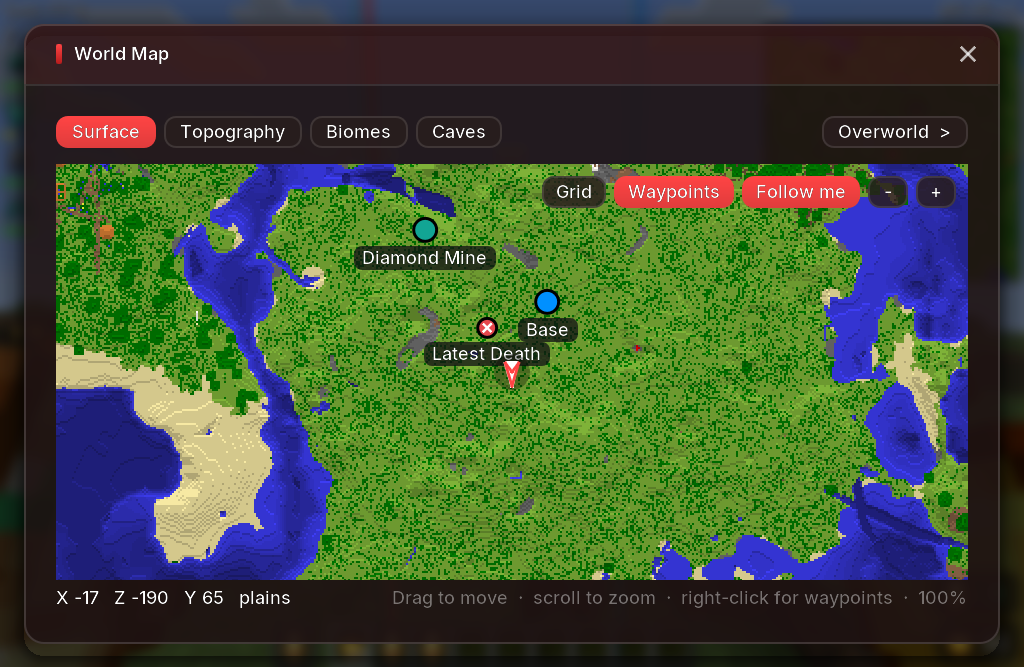
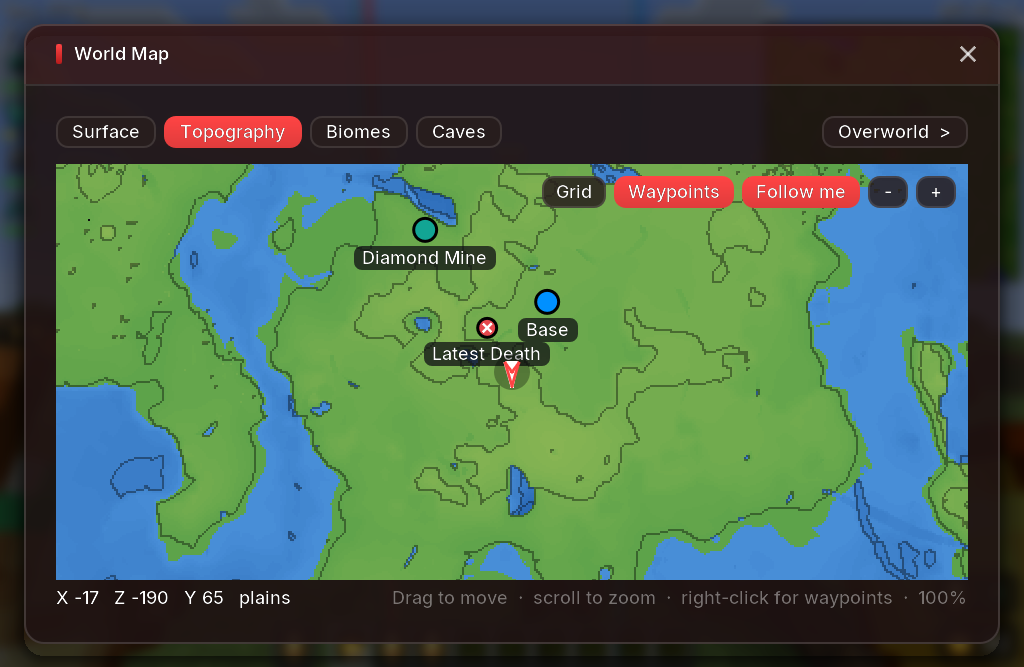
Press M to open a full-screen map of everywhere you've explored. Drag to move, scroll to zoom, and switch between Surface, Topography, Biomes and Caves. Your waypoints and death points show up on it, and right-click anywhere to add a new waypoint.
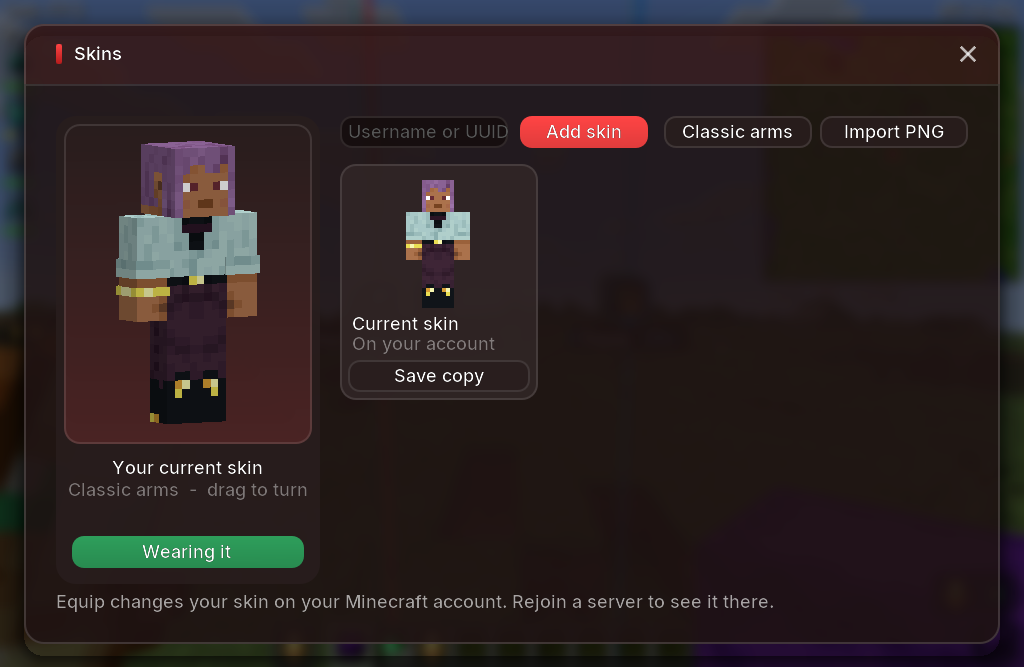
Skin changer with 3D previews
Save skins by username, UUID or PNG and switch with one click - in the launcher (profile page) or in game under Options > Skin Customization > Velo Skins. Every skin is shown in 3D, and your current skin is always the first card.
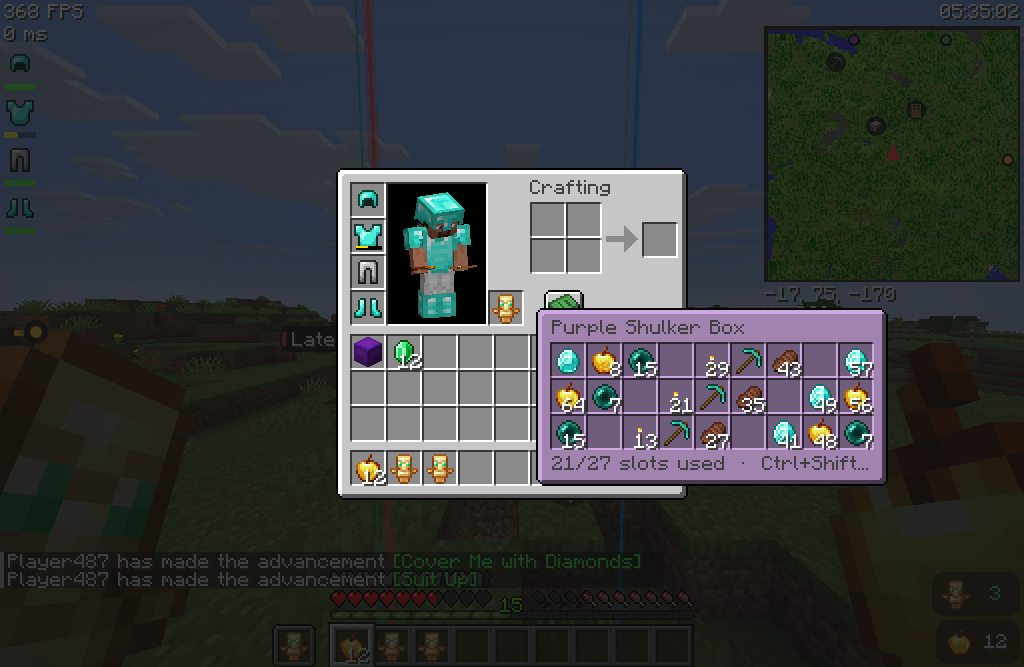
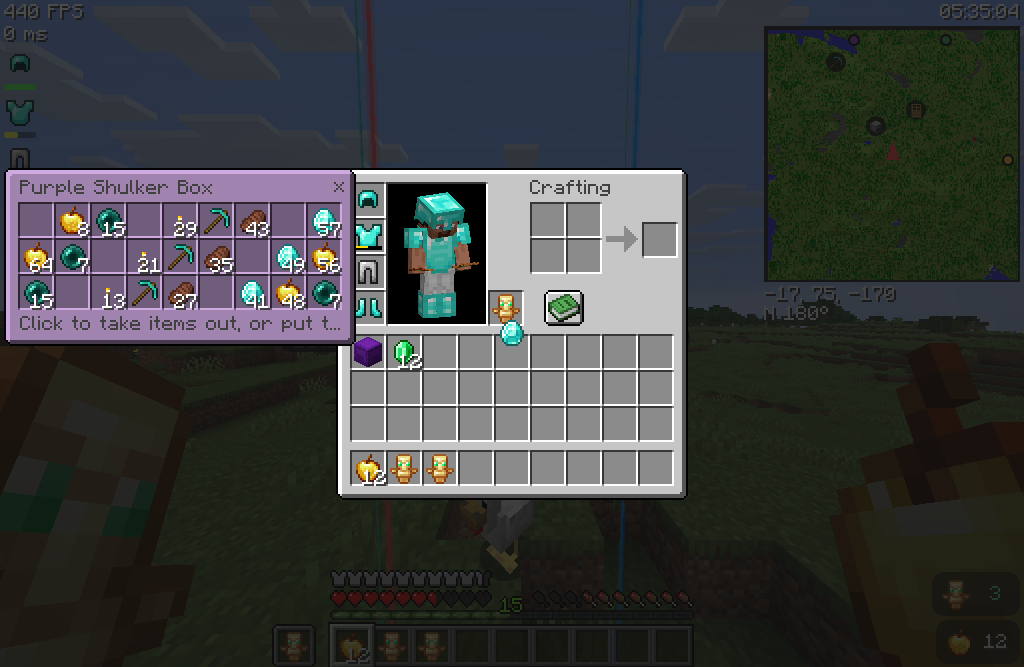
Shulker Preview
Hold Shift over a shulker box or bundle to see what's inside. Press Ctrl+Shift to open it right next to your inventory and move items in and out (singleplayer and the Creative inventory).
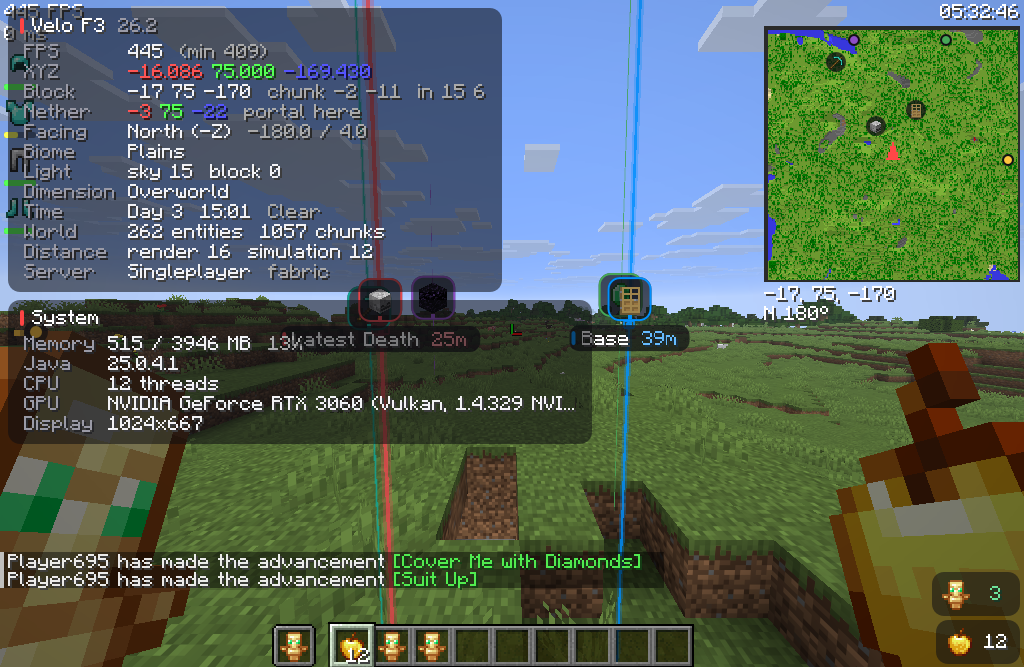
Better F3
A cleaner debug screen with compact, see-through panels. It also shows the matching Nether / Overworld coordinates for building portals, and you can switch off every row you don't need. Open Edit HUD Layout and press F3 to drag and resize the F3 panels like any other HUD element.
Spawn Radius & Simulation Distance
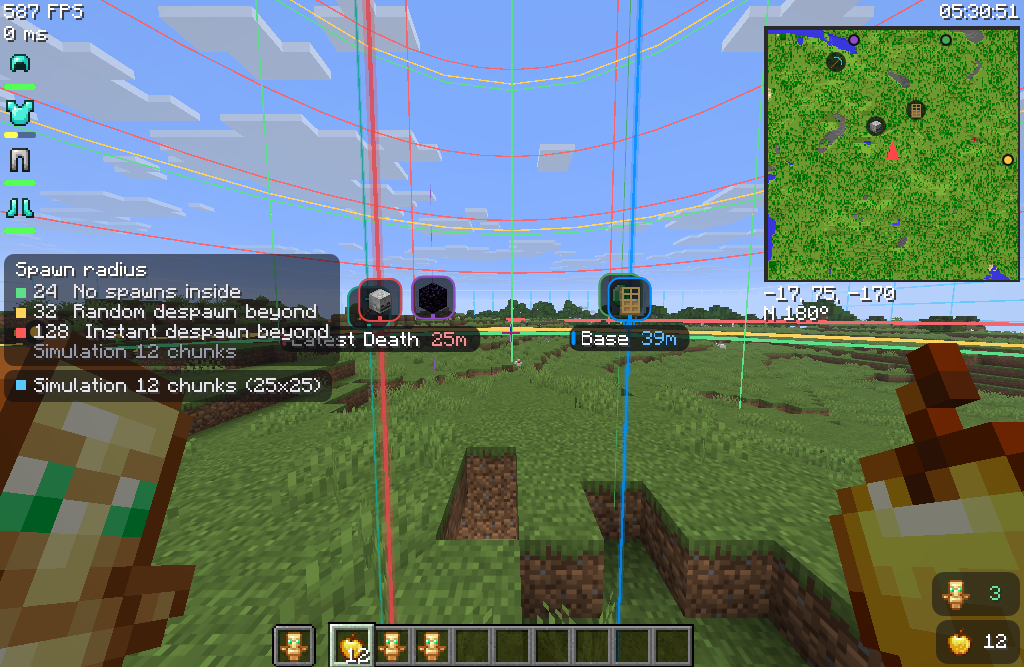
See exactly where mobs can spawn and despawn around you (24 / 32 / 128 blocks) as spheres in your own colors, plus the area your server actually simulates - read from the server, not your settings.
More new things
- Boss Bar module - move, scale or hide boss bars (with an example bar in the HUD editor)
- Hitbox Visualizer - separate colors for players, hostile mobs, passive mobs, projectiles and items
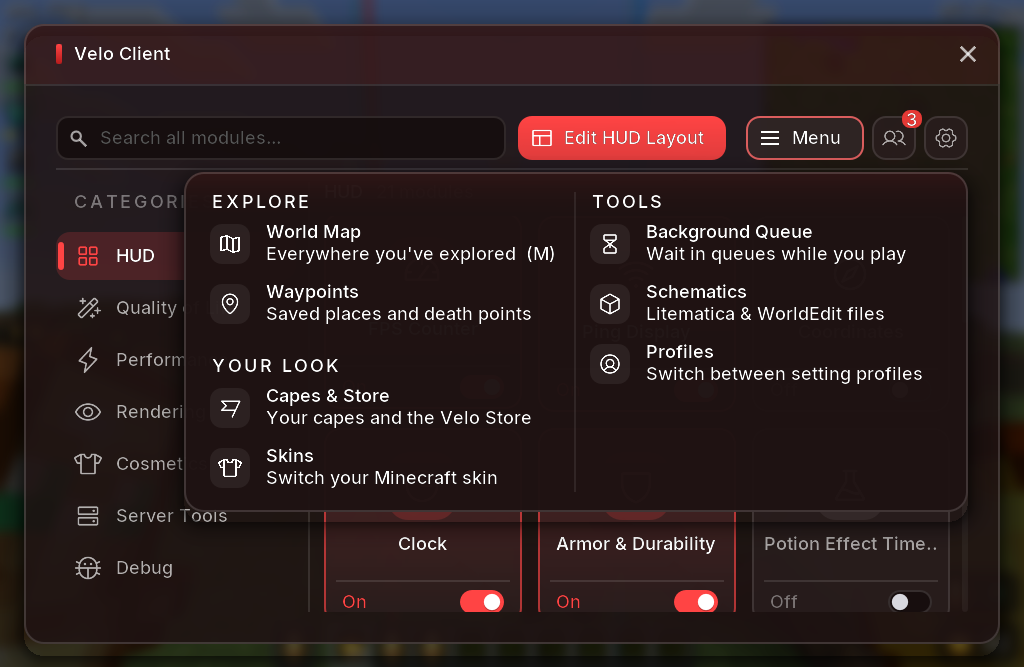
- New R-Shift menu - every feature in one tidy menu, with Edit HUD Layout right next to search
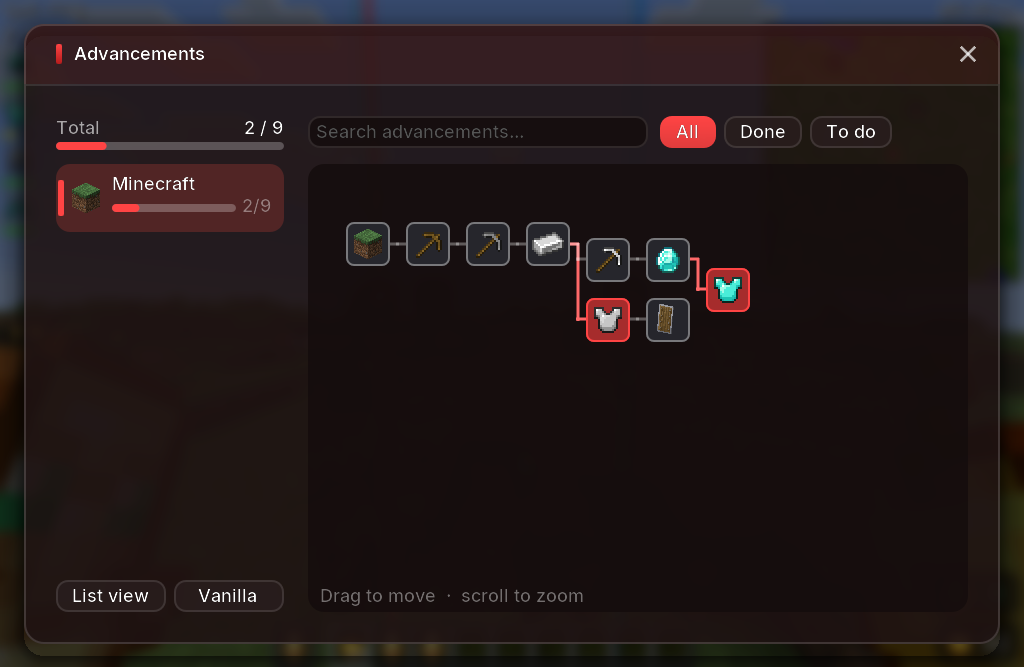
- Custom advancements screen - tree and list view, search and progress per tab
- Velo screens - switch the Velo Advancements, Controls or Statistics screens back to vanilla in Settings
- Mouse Buttons - the mouse style now shows middle clicks, with your CPS right inside each button
- Mod browser hints - mods whose feature Velo already has (world maps, auto reconnect, shulker tooltips, zoom...) are marked "Built into Velo"
News, polls & bug reports
You're reading this in the new News tab! We'll post every update here, and you can vote in polls on what we build next.
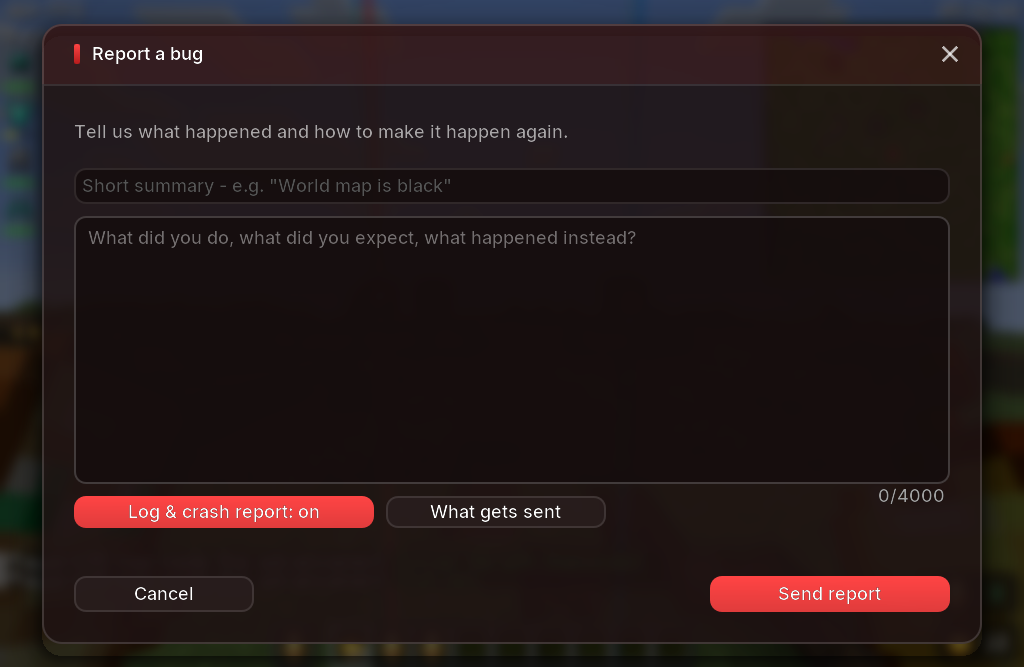
Found a bug? Press Report a bug in the pause menu - or, if the game crashed, we'll offer to send the crash report next time. You can add a note about what happened, and you can see exactly what gets sent.
Fixes
- Pressing Back on the advancements screen no longer reopens it
- Old 64x32 skins now show both arms correctly
- Skin cards and toolbars no longer overlap on small windows
- Changing skins several times in a row no longer gets stuck on "Uploading..."
- The account picture in the launcher sidebar updates after a skin change
- The News tab no longer stays highlighted after switching tabs
Get the update: the launcher updates itself. New here? It's free.
Download Velo Client