Velo Client 0.9.96: Build your own resource pack in game
A brand-new resource pack menu and a full pack editor inside Minecraft: paint textures with a 3D preview, animate them, recolour anything GIMP-style, replace sounds and music, and edit every JSON and shader file - then reload and see it in your world.
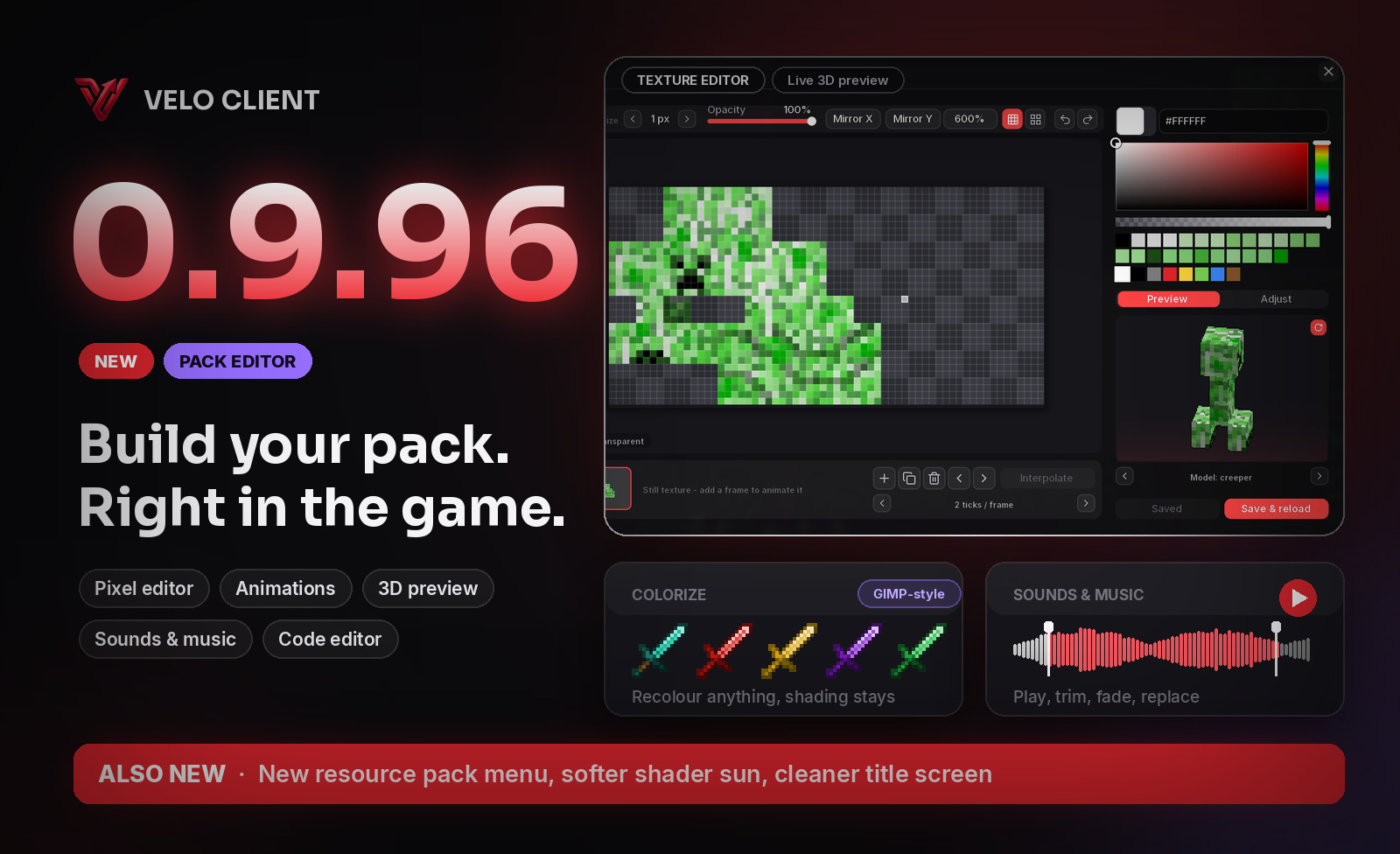
A new resource pack menu
Options > Resource Packs looks like the rest of Velo now - and does everything the old menu did: available and selected packs side by side with their icons and descriptions, search, and ordering by dragging. Incompatible packs still ask first, and you can drop .zip files or folders onto the window to add them.
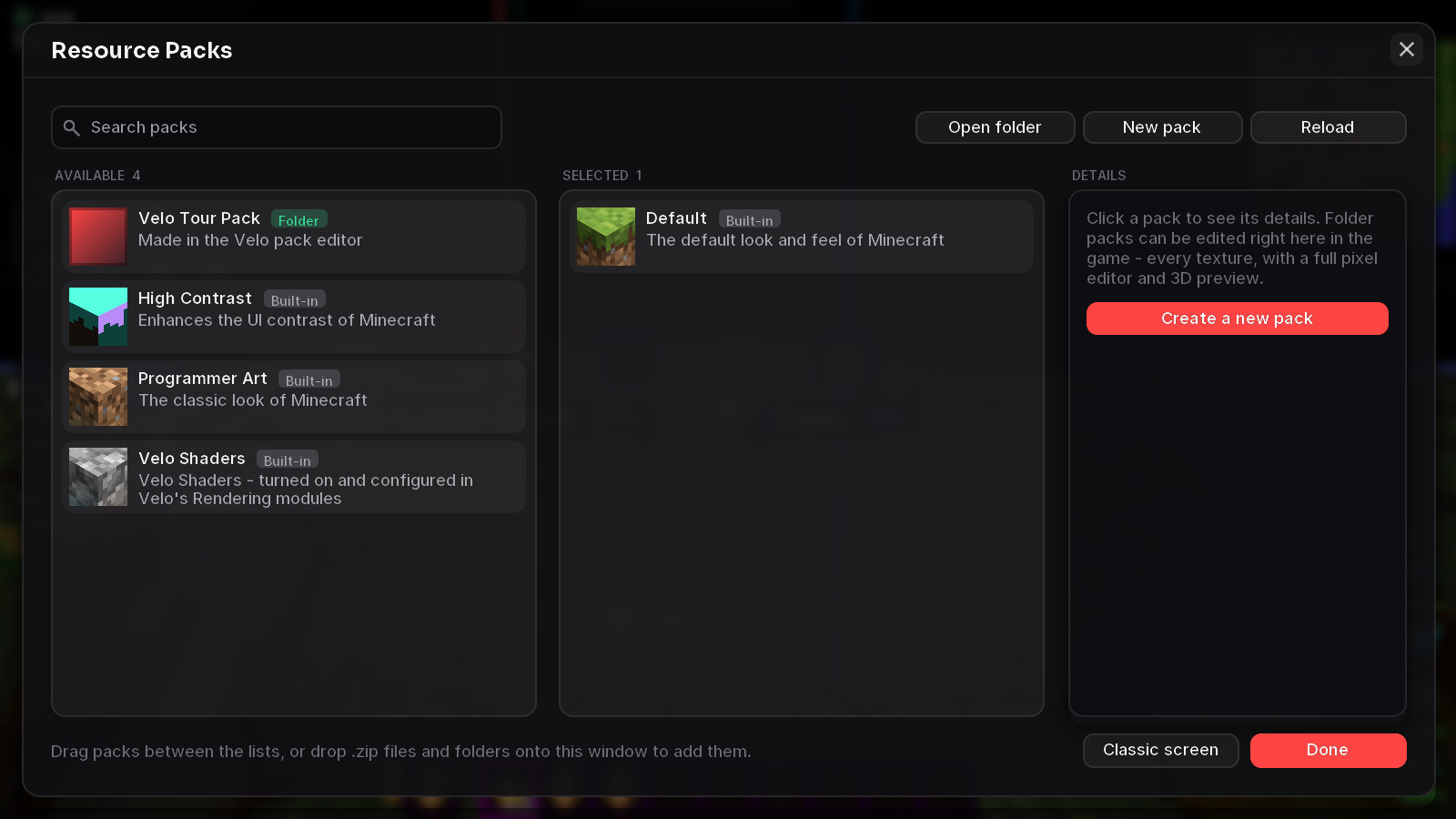
- New pack creates an empty pack for this game version, with its own icon.
- Reload applies your packs and reloads everything - no more F3+T.
- Make editable copy unpacks a .zip pack into a folder you can change.
- Prefer the old screen? Classic screen is one click away, or switch it back under Settings > Velo screens.
The pack editor
Pick a folder pack and press Edit pack. Everything in it is sorted into blocks, items, entities, interface, particles, paintings, sounds and music, models, languages, shaders and more. Switch to From the game to browse all of Minecraft's own textures and files - one click copies any of them into your pack, ready to change.
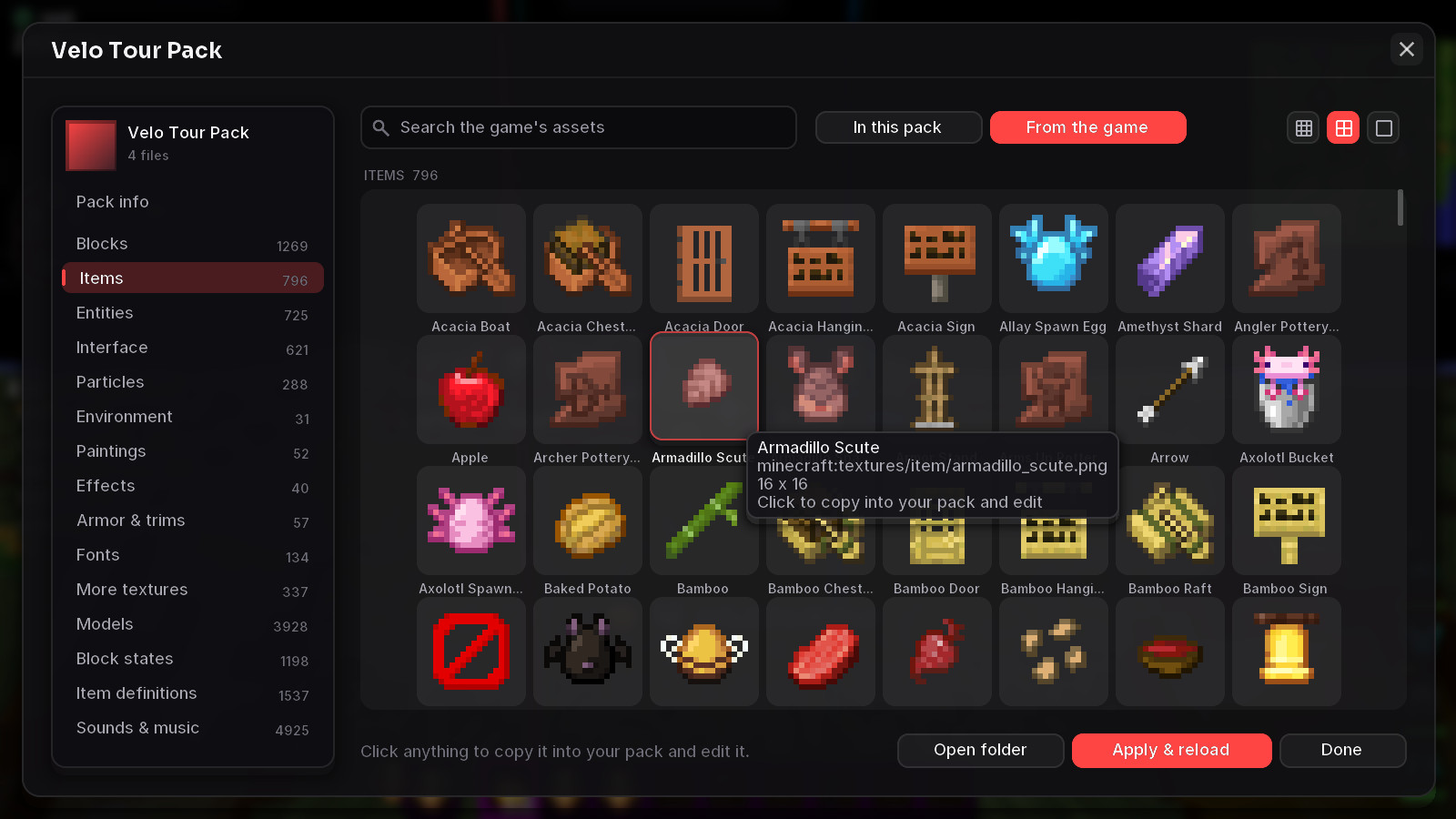
A real texture editor
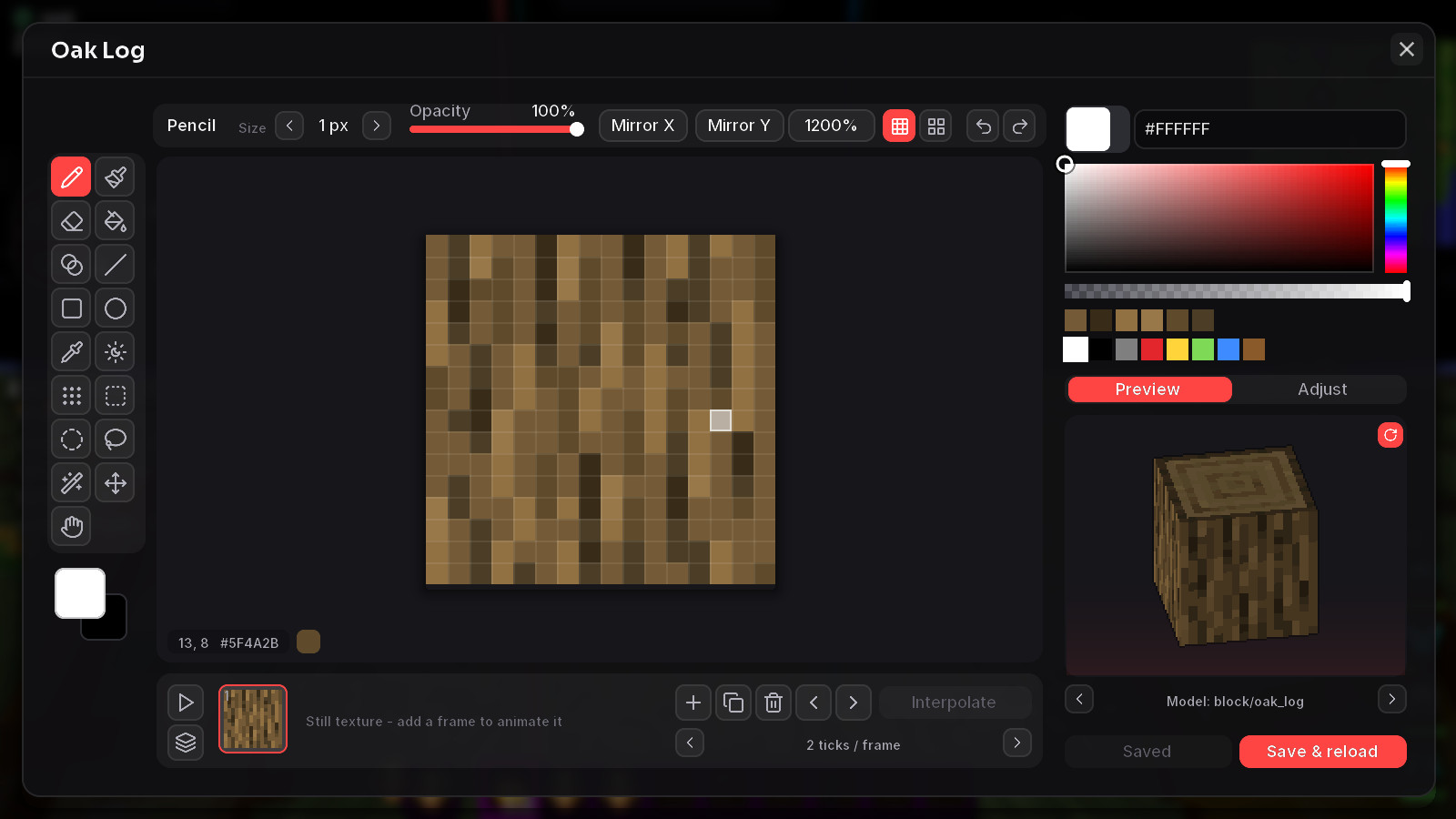
- Tools: pencil, brush, eraser, fill bucket, gradient, line, rectangle, ellipse, colour picker, shading and dither brushes, with mirror drawing.
- Selections: rectangle, ellipse, lasso and magic wand - add, subtract or intersect them, move what's selected, copy and paste.
- Live 3D preview of what you're painting: blocks on their real models (stairs, logs, plants...), items as in your hand, entities on their actual in-game model.
- Animated textures: add frames, set the timing per frame, interpolate, onion skin and play it back.
- Import and export PNGs, resize the canvas, and undo / redo everything (Ctrl+Z, Ctrl+Y).
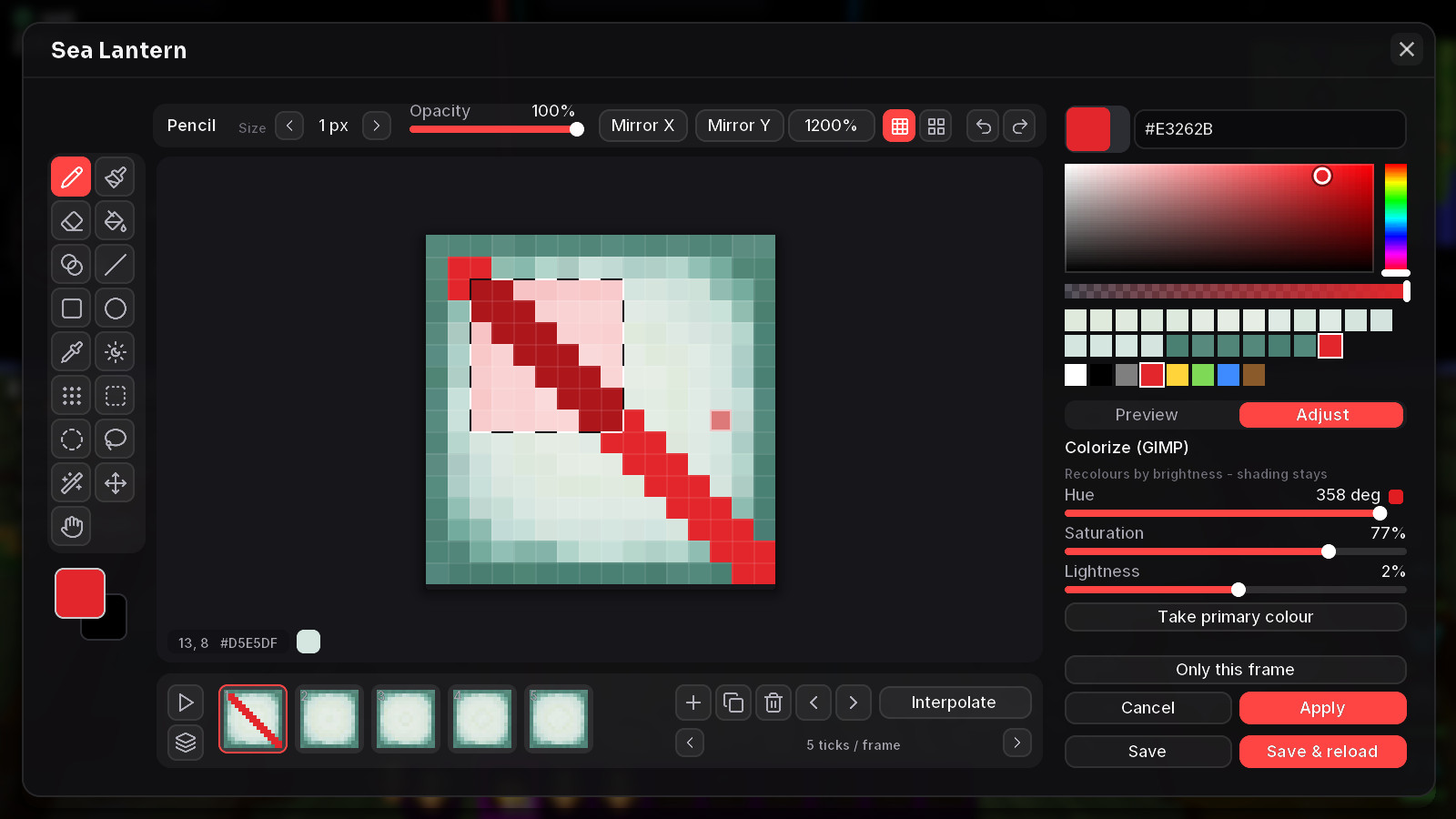
Colorize, just like in GIMP: turn a whole texture - or only what you selected - into any colour while its shading stays. Hue, saturation and lightness sliders show the result live. Plus hue / saturation, replace colour, brightness / contrast, posterize, noise, invert, grayscale, blur, outline, flip and rotate.
Sounds and music
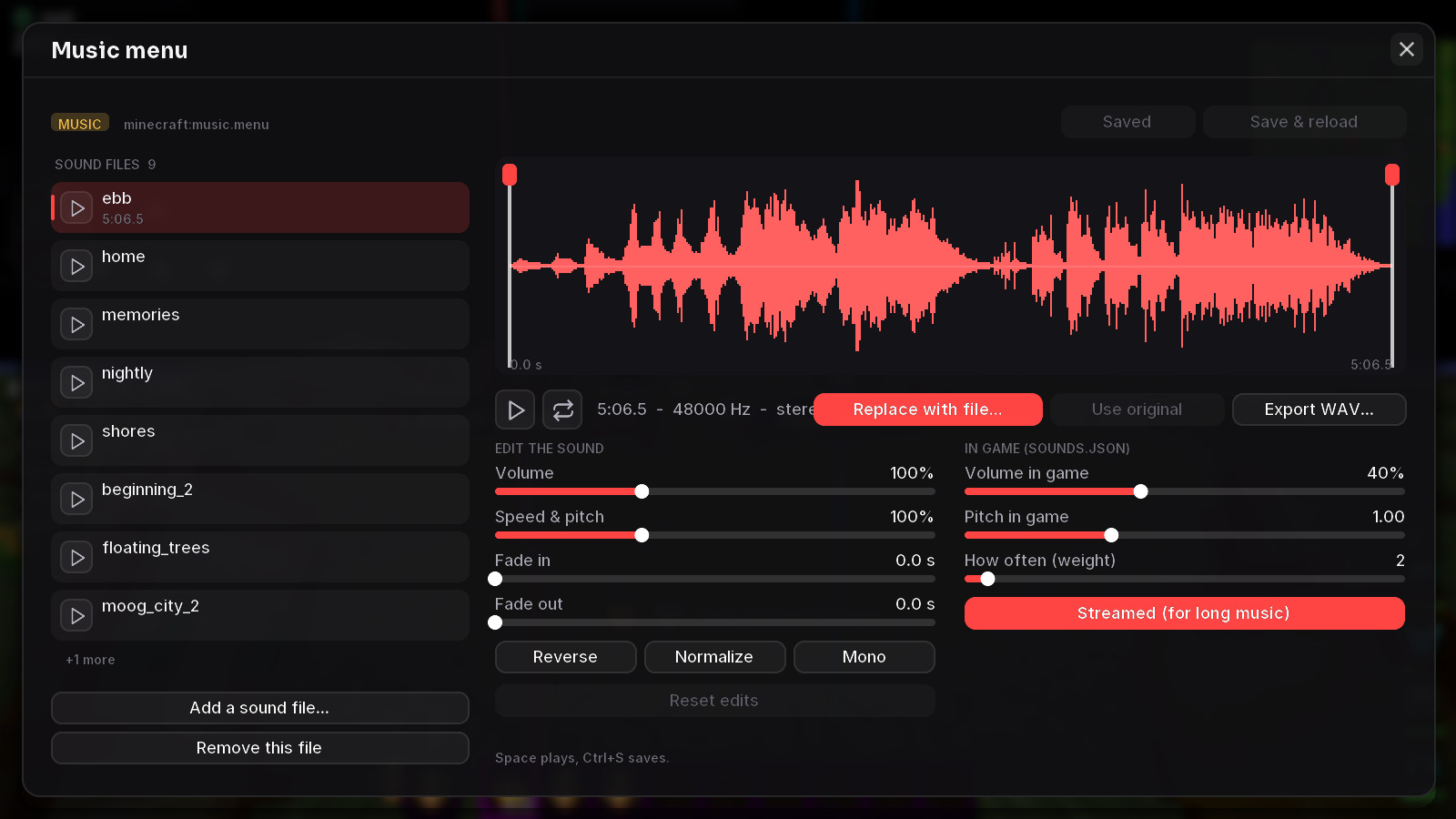
Every sound and every song of the game, listed by music, ambient, blocks, entities, items, interface and weather - and you can play them right in game. Open one to see its waveform, trim it, change volume and speed, fade it in and out, or replace it with your own file (ogg, mp3, wav, flac...). Add extra variants, and set how loud and how often the game plays each one.
Edit any file in game
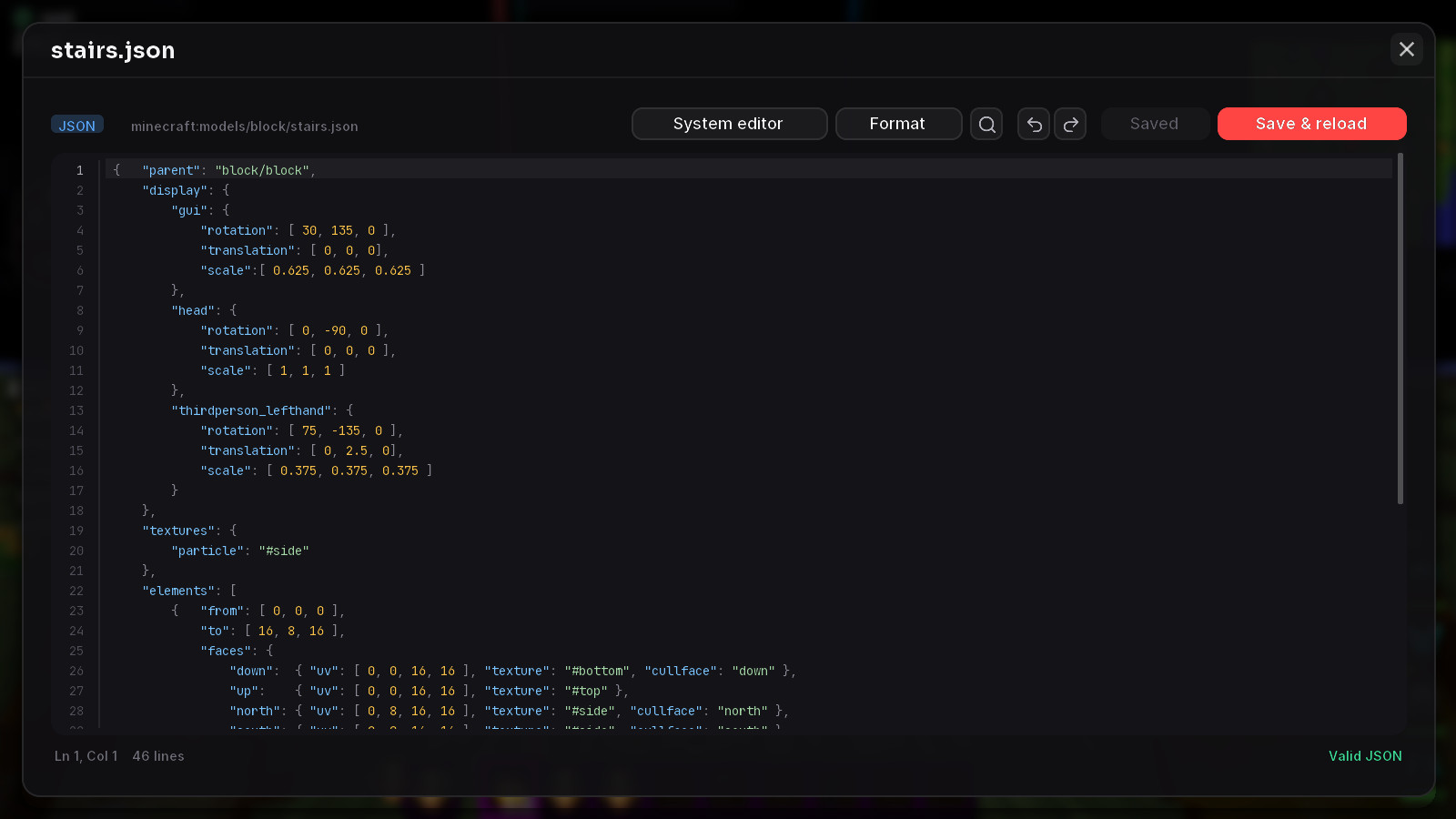
Models, block states, item definitions, languages, sounds.json, pack.mcmeta and shaders open in an editor with syntax colours, line numbers, find & replace and auto-indent. JSON is checked as you type - a mistake gets its line marked in red - and Format tidies it up.
When you're done, Save & reload puts your pack on and reloads the game's resources - your changes show in the world a moment later.
Also new
- Velo Shaders: the sun is much softer - a smaller glow, gentler light rays and less haze when you look towards it.
- Title screen: partner servers moved to Discover, so the title screen is calmer.
- Pack covers: set any picture as a pack's icon, or draw one yourself.
Get the update: the launcher updates itself. New here? It's free.
Download Velo Client