
Velo Client 1.3: Velo Rewind
Record in 3D, fly through it, edit it on a timeline and export it as a video with sound. Plus an account switcher, new modules and AI access.
Velo Client 1.3 brings Velo Rewind: record what happens around you as a real 3D replay, fly through it, edit it on a timeline and export it as a video, for YouTube or TikTok, with sound. Plus an account switcher, new modules and a launcher that gives AI agents a way in.
Velo Rewind
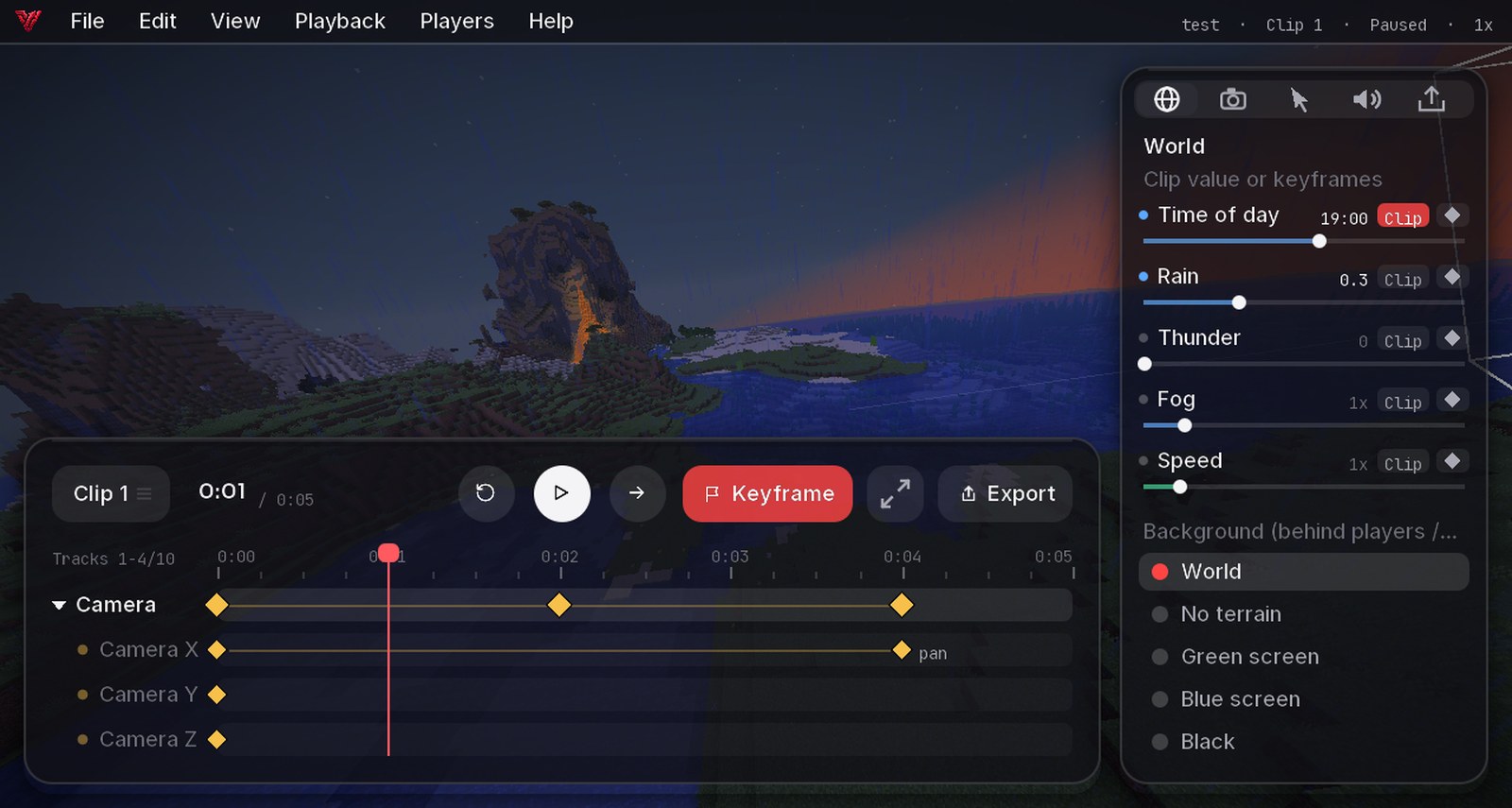
- Record with F6 or from the pause menu: start, pause, stop. Follows you across server switches
- Replays are 3D: fly anywhere, through blocks, and watch from any angle
- Timeline: several clips, keyframes for camera position, angle, roll and FOV, time of day, rain, fog and speed. Smooth, linear or eased
- Pause and the camera path shows in the world, like in Blender
- Camera follow: the camera keeps a player or item in view and moves with it (behind, orbit, fixed)
- Players menu: everyone in the recording, search, hide one or all, click to fly to them
- Per player: hide their cloak, cosmetics, pets, name tag or glow, swap their skin
Export with sound
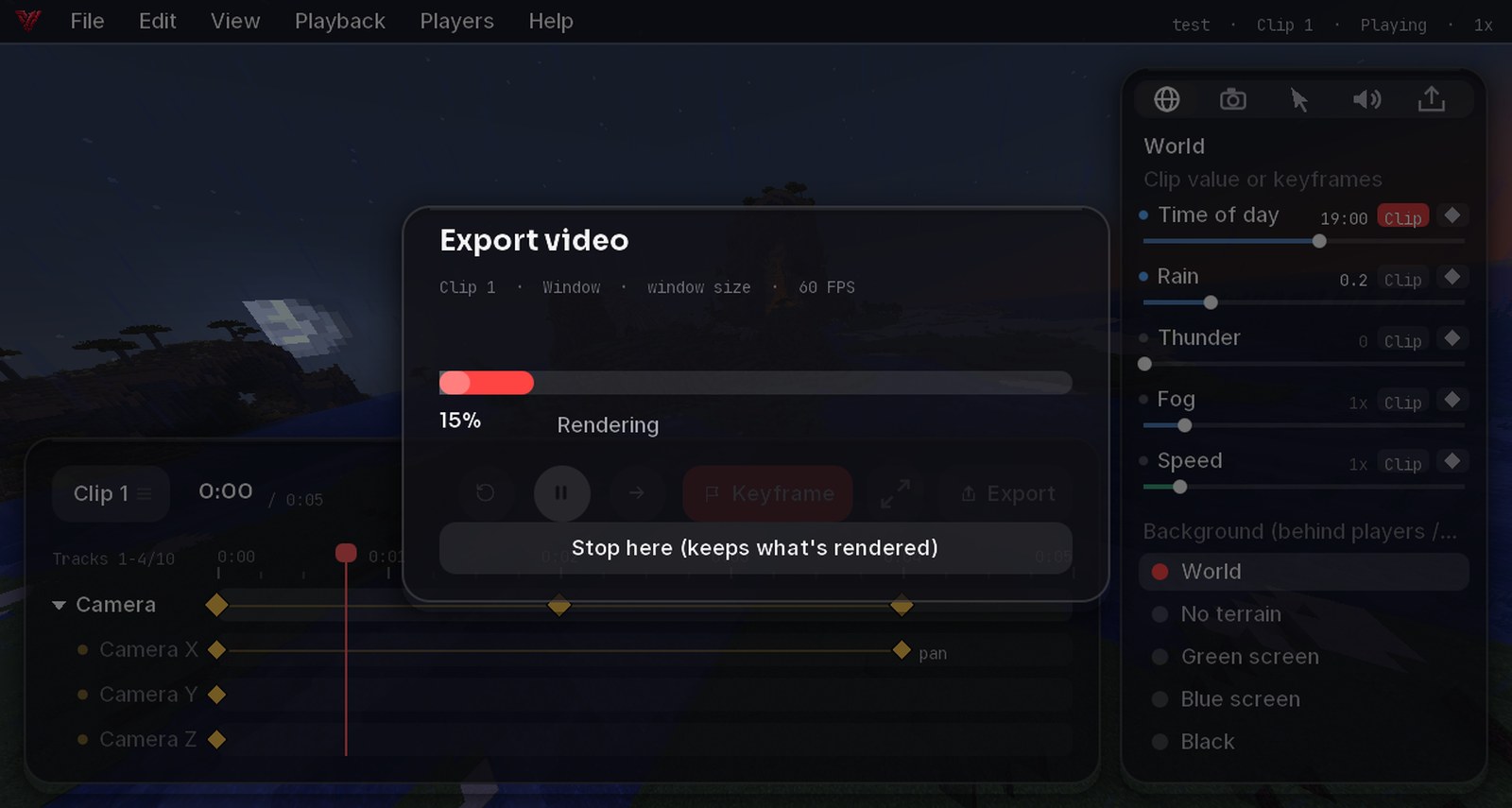
- Formats: YouTube 16:9, TikTok 9:16, square, up to 1440p and 60 FPS
- Sound: everything you hear, or only the recorded voice tracks
- Records Simple Voice Chat (each player as their own track), optionally your microphone and system audio like Discord
- Volume per source (players, mobs, blocks, music, voice, each player) as a clip value or with keyframes
- Done sound and Open folder when it's finished
Green screen

Per clip the background can be the world, the sky without terrain, green, blue or black. Ready for keying in your video editor.
Never lost
- Recordings are saved every few seconds: even after a crash you get them back ("recovered")
- Closing the game saves the running recording
- Edits save themselves, with Undo / Redo (Ctrl+Z / Ctrl+Y) and backups
Account switcher

Switch between the accounts you signed in with in the launcher, right in the game, no restart. Velo Rewind sits right next to it.
New modules
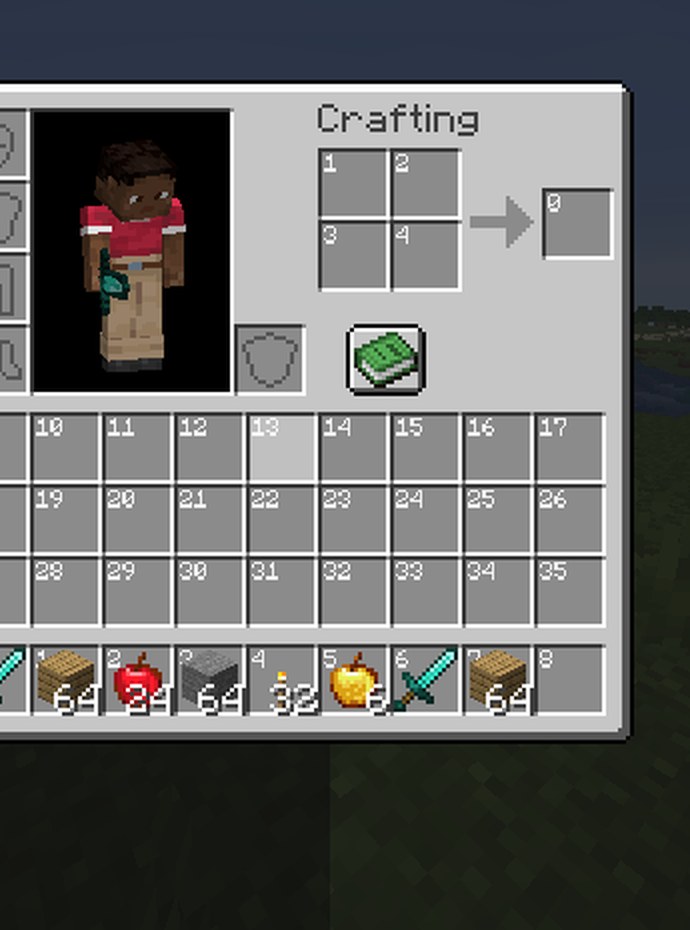
- Numbered Inventories: numbers every slot, from 0 like plugin configs count them. Great for server owners
- Color Codes (F4): pick a colour from the world or a palette, copy it as hex, &-code, MiniMessage and more, with gradients
- Shield Indicator: see when a shield is up or disabled
- Own Name Tag is now on for everyone
AI access (at your own risk)
Launcher → Settings → AI Access: AI agents like Claude Code can drive the game through a local API (only on your PC, with a token). They can edit replays and export videos, record, take screenshots and clips, change Velo modules, resource packs and shaders. Playing (moving, chat, inventory, building) only works in singleplayer or where you're an operator. The game can even run without a window.
Also new
- Emoji suggestions show up as soon as you type :, symbols included
- The map opens centred on you and follows you
- Your cosmetics now show for players on other clients too
- New LuckySMP cloak
- Launcher: the Play button reacts at once and can't start the game twice; the launcher comes back when the game closes
- Launcher: downloads fall back to our own mirror when GitHub is slow
- Smarter memory: ZGC on PCs with lots of RAM, G1 otherwise
- Client import: faster, shows icons, skips broken files
Fixed
- Connection errors on some servers (IPv6)
- Performance Boost settings not being kept after a restart
- Game hanging when refreshing chat
- Title screen without text on some Windows PCs
- More Doctor fixes for crashes with Iris, Vulkan and memory
- Lots more from your bug reports 💙
Get the update: the launcher updates itself. New here? It's free.
Download Velo ClientMore news
All news → Velo Client 1.3.1: exact exportExports that never lose a frame, names that really disappear, faster GPU encoding and a much easier way in for AI agents.
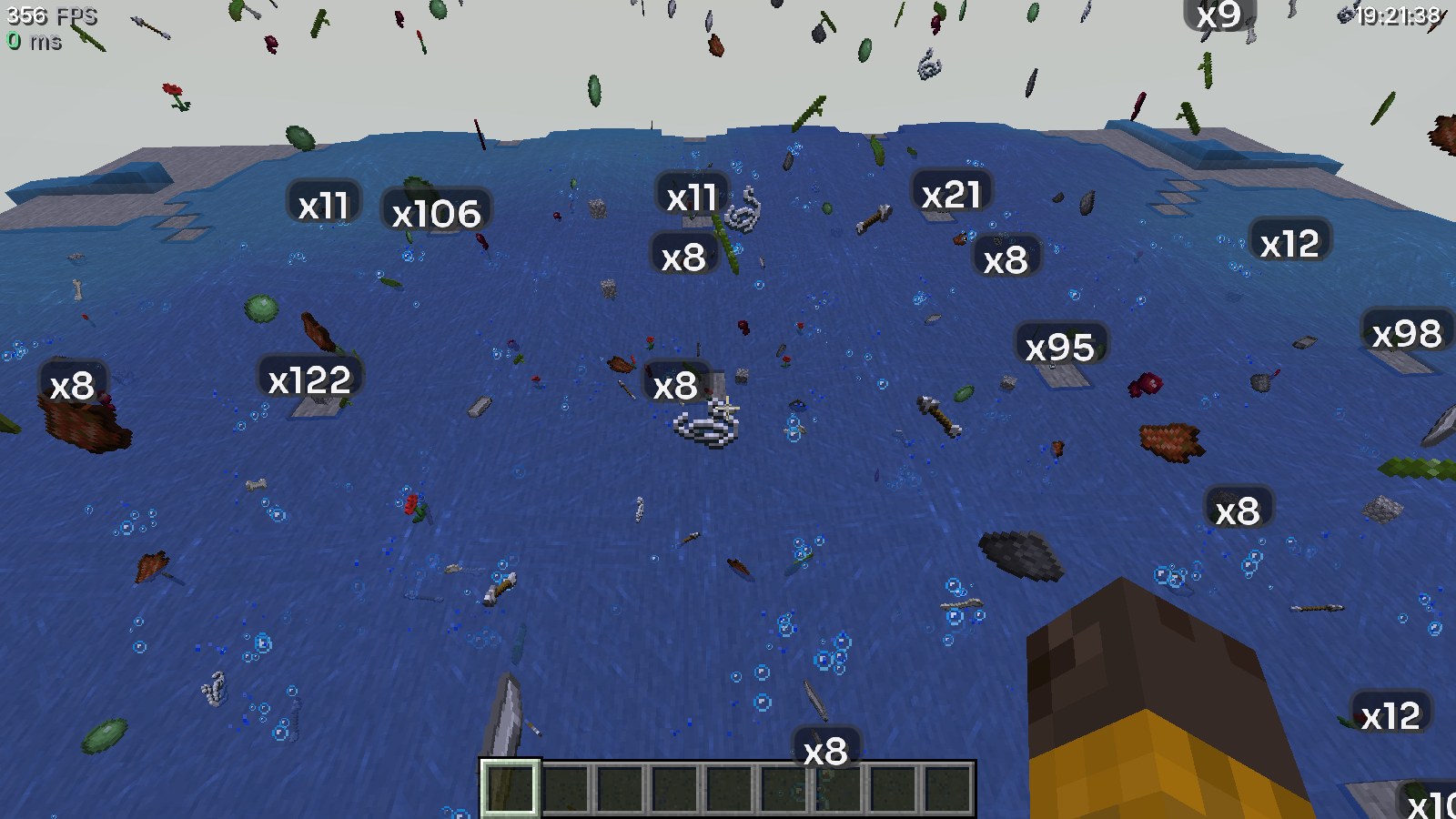 Velo Client 1.2.6: item farms without the lagThousands of dropped items no longer tank your FPS: Velo groups them and shows how many there are. Plus a safer main menu and fixes for hangs and memory errors.